Wix Harmony vs. Wix Studio Template: Which One Actually Fits Your Business
Updated: Aug 18
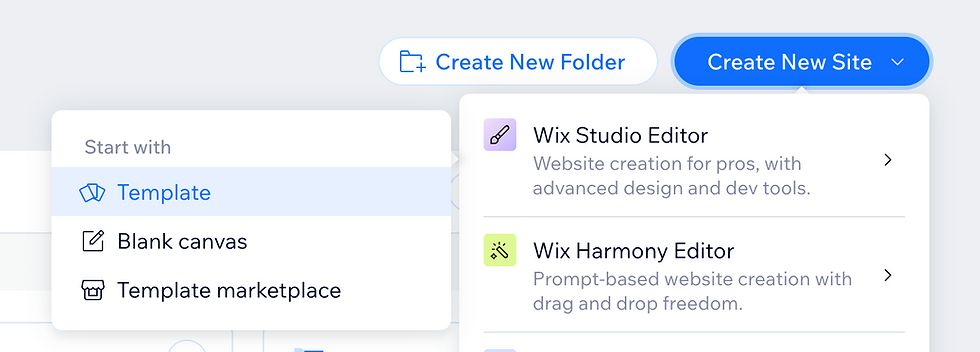
You opened Wix, saw the new AI builder, and thought this is exactly what you needed. A website in minutes, no designer required, just type what your business does and watch it build itself. That promise is real. Wix Harmony, launched in January 2026, genuinely does generate a site from a prompt, and it does it well for what it's built to do.
The question worth asking isn't whether Harmony works. It's whether it's the right starting point for your specific business. This post covers what Wix Harmony does well, where it's still catching up, and why a professional Wix Studio template is often the faster, more flexible path, especially with Wix Studio 2 on the way.
Overview
Wix Harmony is Wix's newest AI-native website builder, built for fast, prompt-based site generation, while Wix Studio is Wix's more advanced editor built for professionals, offering full platform capability like Velo, CMS, and the App Market. Wix Studio 2 is coming soon with similar AI-assisted features to Harmony, but keeps full creative control and the depth professionals rely on. The article walks through what each platform does well, where Harmony still has gaps, and why a Wix Studio template gives small business owners and DIYers a fast, guided starting point through Content Mode, while still putting them on the more advanced, capable editor as their business grows.
In this article:
What Wix Harmony Gets Right
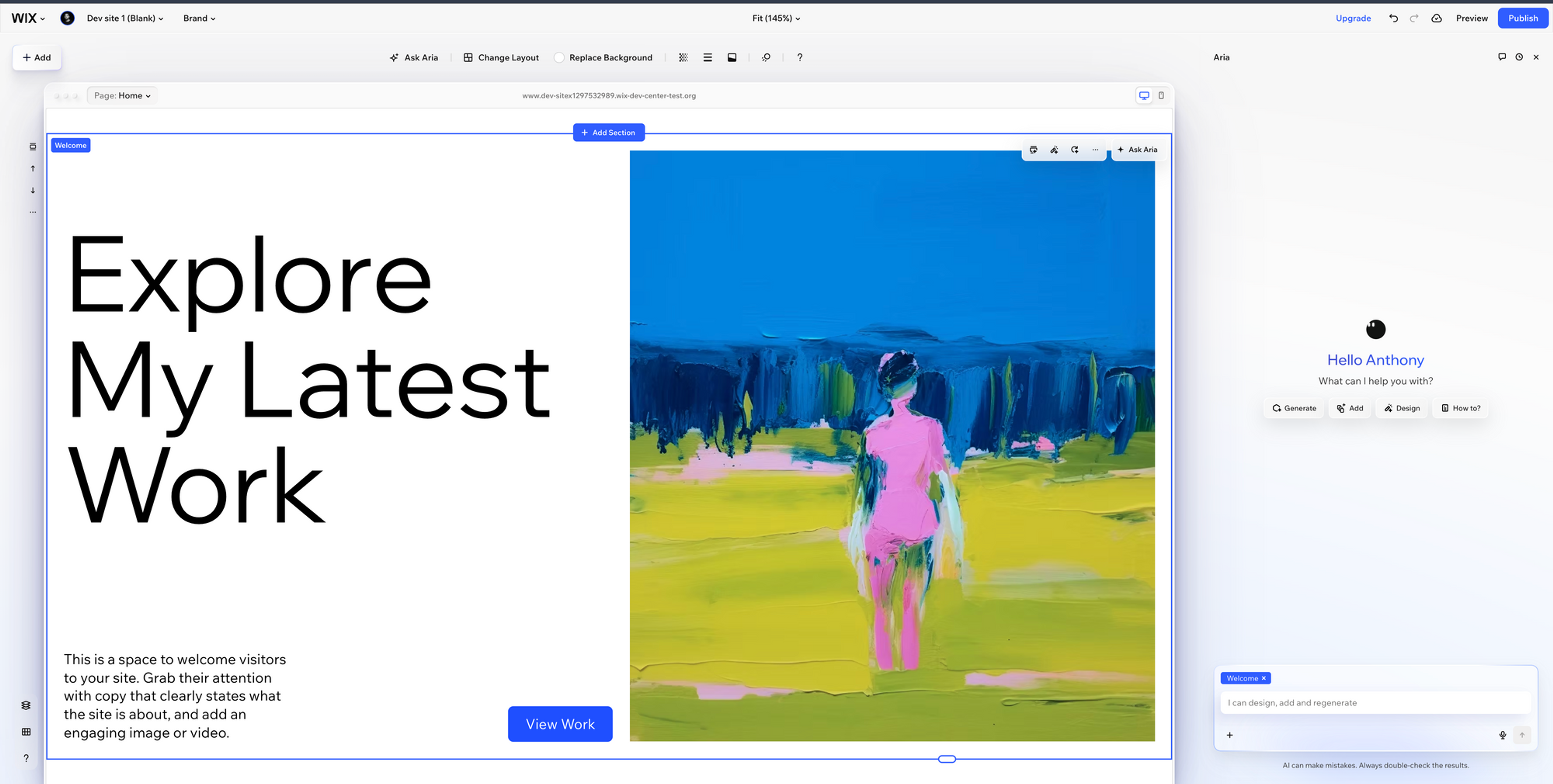
Wix Harmony is Wix's AI website builder. You describe your business in plain language, and an AI agent named Aria generates a starter site for you, handling layout, color choices, and placeholder copy.
For the right use case, this is genuinely impressive. If you need a simple landing page fast, a placeholder site while something bigger is in development, or a personal project with no complex requirements, Harmony gets you there in minutes with zero learning curve. There's no editor to learn and no design decisions to second-guess. Wix has also confirmed that CMS support for Harmony is on the roadmap, targeted for Q2 2026, along with continued investment in the platform. This is a tool that's actively evolving, not a finished product standing still.
Where Wix Harmony is Still Catching Up
As of now, there are a few gaps worth knowing before you build, especially if your business has any complexity to it.
No Velo yet. Velo is Wix's development environment for custom functionality and backend logic. It isn't available inside Harmony sites today, so if you need something the AI doesn't generate out of the box, you're limited to what's built in.
CMS support is coming, not here yet. The CMS is what powers dynamic, database-driven pages, like individual listing pages, a formatted blog, or a portfolio pulled from one data source. Right now, Harmony sites are built page by page. Wix has this on the roadmap, so this is likely to change.
Limited third-party embeds and App Market compatibility. Many businesses rely on booking systems, CRM forms, or scheduling tools outside of Wix. Harmony's architecture is new, so not every tool in the Wix App Market or every custom embed works inside it yet.
No migration path to Wix Studio today. If your business outgrows what Harmony currently supports, there isn't yet a way to carry a Harmony site over to Wix Studio. You'd rebuild. Wix has hinted at a more connected experience between Harmony and Studio over time, so this is worth watching rather than treating as permanent.
None of this makes Harmony a bad tool. It makes it a tool that's still filling in its feature set, which matters most for businesses with more moving parts.
The Bigger Problem Nobody Is Naming
Here is the part of this conversation that does not get enough attention.
AI tools are being sold to business owners as the solution to building a website without a designer or a developer. Type a prompt. Get a site. Move on with your business.
But what actually happens is different. The AI gets you 70 percent of the way there, and then you spend hours chasing the other 30. The layout is not quite right. The font does not match your brand. The section spacing looks off on mobile. The booking widget you need is not available. You watch tutorials. You rebuild sections. You start to understand what padding is and why it matters. You are no longer running your business. You are building a website.
I started building my own website when I was a real estate agent. All I needed was something professional to represent my business online. That one decision pulled me so far into website design and development that I eventually left real estate entirely and built a template business. Today Allioo Studio is the number one seller on the Wix Studio Marketplace with over 70 templates. I understand web design and development at a deep level now, but that was not the plan. I became a web designer by accident because I started trying to do it myself.
You are a business owner, not a web designer. These tools were supposed to reduce the work on your plate. Instead, they are handing you a new job with no training, no real support, and a time cost you were never told about upfront.
The irony is that AI was supposed to give business owners their time back. For many people using Harmony, it is doing the opposite. It generates something that looks finished, and then reveals how much work remains the moment you try to make it actually yours.
What a Wix Studio Template Gives You Today
A professionally designed Wix Studio template isn't a starting prompt you refine. It's a finished website, built by a designer, ready for your content.
The feature that makes this work for non-designers is Content Mode. You click into any text on the page and type yours in its place. Swap the photos, update the details, adjust a section. The design itself, the spacing, the fonts, the layout, is already done. Your job is to add your content and publish.
Beyond Content Mode, here's what's available today with Wix Studio that isn't yet in Harmony:
Full platform capability. Velo, the CMS, dynamic pages, custom code, and the entire Wix App Market all work.
A mature, connected ecosystem. Payments, bookings, email marketing, CRM, memberships, and analytics all live inside the same platform as your site, so you're not stitching together five separate tools.
A design that doesn't look generated. A template built by a professional designer starts from original layout and typography decisions made for a specific industry, rather than drawing from a shared AI component library.
A site that grows with you. Add a CMS-powered blog, a dynamic listings section, or a custom Velo integration whenever you need it, without starting over.

Wix Studio 2 Is Coming, and It Makes it an Even Easier Choice
Wix Studio 2 is currently in development, and I've had the chance to test an early version of it firsthand. Here's my honest take: it's a meaningful upgrade, not just a redesign.
What stood out most is that AI is built in as an assistant, not a replacement for control. You can generate a section, build out a page with AI, or design everything by hand the way you always have. Full creative control stays with you the whole time. On top of that, I saw a cleaner canvas, dark mode, streamlined design systems, and an improved way to work with the CMS and Wix Apps directly in the editor.
For template buyers, this matters in a very practical way. Templates built for Wix Studio 2 will come with more capability out of the box and will be easier to customize and make your own, without needing to touch code or learn advanced design concepts. We're already preparing the Allioo Studio catalog for what's next, and template bundle buyers on allioo.studio will get access to templates built on the new editor once it launches.
Who Harmony Is Actually Right For
To be fair, Harmony is the right tool for a specific set of projects right now. If you need something simple and fast, with no complex requirements, it's a genuinely good option. As its feature set fills in, that range is only going to grow.
The question is whether your business fits that description today, or whether you're better served starting somewhere with everything already built in.
The Practical Starting Point
The choice isn't really about which tool is "better." It's about matching the tool to what your business needs right now and how much of your time you want to spend building versus running your business.
If you want something professional and flexible today, without waiting on a feature roadmap, a Wix Studio template gets you there immediately, with Content Mode doing the heavy lifting. You update the text and photos, then publish.
Browse the full collection of Wix Studio templates by Allioo Studio. Every template is built on Wix Studio, ready to edit in Content Mode, and designed for real businesses across real industries.
Frequently Asked Questions
Can you switch from Wix Harmony to Wix Studio later?
Not yet. Harmony and Wix Studio currently run on separate architectures, so there's no migration tool between them today. Wix has signaled a more connected experience between the two platforms over time, so this is worth watching rather than ruling out.
Does Wix Harmony support Velo?
Not yet. Velo is currently available in Wix Editor and Wix Studio only.
Can I use a CMS with Wix Harmony?
Not yet, but it's on Wix's roadmap.
What is Content Mode and why does it matter?
Content Mode is a feature inside Wix Studio that lets you edit the text, images, and content of a page without touching the design. It's what makes professional templates accessible with no design experience.
What is Wix Studio 2 and should I wait for it?
Wix Studio 2 is a rebuilt version of the Wix Studio editor, currently in development, with AI built in as an optional assistant and full creative control preserved. Based on early testing, current Wix Studio work is expected to carry forward rather than needing a rebuild. You don't need to wait. Templates built today will continue to work, and template bundle buyers will get access to Wix Studio 2 versions once it launches.
Is editing a Wix Studio template harder than using Wix Harmony?
No. With Content Mode, editing a Wix Studio template requires no design or technical skill. You click, type, and publish.
Why does starting with a template beat starting with an AI builder?
An AI builder gives you a rough draft you then spend time refining. A professional template gives you a finished design you spend time filling in. The difference is where your time goes and how much of it gets spent.


